06 – Create Window
The Vulkan Tutorial bundles window creation into the instance chapter - “set up GLFW, then ask Vulkan for a surface”. I split it into its own step here, because the next step (the surface) needs a real window to exist first, and I wanted to keep the surface step focused on vkCreateSurface rather than on GLFW boilerplate.
So this step does one thing: with Vulkan already initialized (instance + physical device + logical device), we create a GLFW window and run a minimal event loop. No surface yet, no swapchain - just a window that sits there until you close it or hit Escape.
The full source for this step lives in src/06_create_window/main.odin.
What’s new, in one glance
create_window- sets two GLFW hints, creates the window, returns the handle.- A
runningglobal and akey_callback- so Escape exits the loop cleanly. - An event loop in
mainbetween “init completed” and cleanup. - Window + GLFW cleanup at the end of
main.
The rest of the file is unchanged from step 05.
Why a window, before a surface
A VkSurfaceKHR is Vulkan’s platform-agnostic handle for “something you can present to”. You can’t create one out of thin air - it’s backed by an actual OS window. GLFW hides the platform-specific bits (win32 / xlib / Wayland) behind glfwCreateWindowSurface, which we’ll call in the next step.
So the order is: window now, surface next. This step just makes sure we own a window and that it stays open long enough to matter.
Window hints
glfw.WindowHint(glfw.RESIZABLE, 0)
glfw.WindowHint(glfw.CLIENT_API, glfw.NO_API)
GLFW defaults to an OpenGL context. We’re using Vulkan, so we tell it CLIENT_API = NO_API - otherwise GLFW tries to create a GL context the platform may not even have the bits for, and we’d get a window we can’t use.
The second hint, RESIZABLE = 0, locks the window size. Resize handling means recreating the swapchain on every glfwSetWindowSize, and that’s a lot of code we don’t need yet. We’ll unlock it later.
Both hints must be set after glfw.Init - hints set before init are ignored. That’s a GLFW gotcha that’s easy to miss.
The "c" calling convention
key_callback :: proc "c" (window: glfw.WindowHandle, key, scancode, action, mods: i32) {
	if key == glfw.KEY_ESCAPE {
		running = false
	}
}
glfw.SetKeyCallback(window, key_callback)
Same story as the "system" Vulkan callback in step 03, with a different convention: GLFW is a C library, and callbacks stored into it will be called from C. The "c" annotation makes sure Odin’s ABI matches.
Note the difference with step 03 - Vulkan’s debug callback uses "system" (the platform’s default C ABI for callbacks), while GLFW wants "c". The convention depends on what the host library expects; check the binding’s proc signature when in doubt. Here the glfw binding declares the callback type as "c", so our proc must match it.
We don’t set context = runtime.default_context() here because the callback body doesn’t use any context-dependent Odin feature - it just flips a global bool. No fmt, no allocator. If we wanted to print from inside the callback, we’d need the same context reset as in step 03.
The callback sets a global running = false; the loop checks it. Flipping a global is the simplest cross-thread-ish signal I could use without dragging atomics into a step that’s supposed to be about opening a window. The loop also falls back to glfwWindowShouldClose, which covers the X button and Alt-F4.
The event loop
for !glfw.WindowShouldClose(window) && running {
	glfw.PollEvents()
}
glfwPollEvents processes the OS event queue once and returns - it doesn’t block. So the loop spins on the CPU but exits as soon as either close condition is met. That’s the standard GLFW pattern; we’ll add rendering work inside this loop later.
Cleanup ordering
if device != nil {
	vk.DestroyDevice(device, nil)
}
if instance != nil && vk.DestroyDebugUtilsMessengerEXT != nil {
	vk.DestroyDebugUtilsMessengerEXT(instance, debug_messenger, nil)
}
if instance != nil {
	vk.DestroyInstance(instance, nil)
}
if window != nil {
	glfw.DestroyWindow(window)
}
glfw.Terminate()
Vulkan teardown is unchanged from step 05. The new bits go after Vulkan: the window outlives the instance we used to make it (well, eventually to make the surface), but the surface handle in the next step will have to be destroyed before the instance. We’ll revisit this order in 07 once the surface exists.
glfwTerminate cleans up GLFW itself - it’s called once at the very end, after every window is destroyed.
Test it
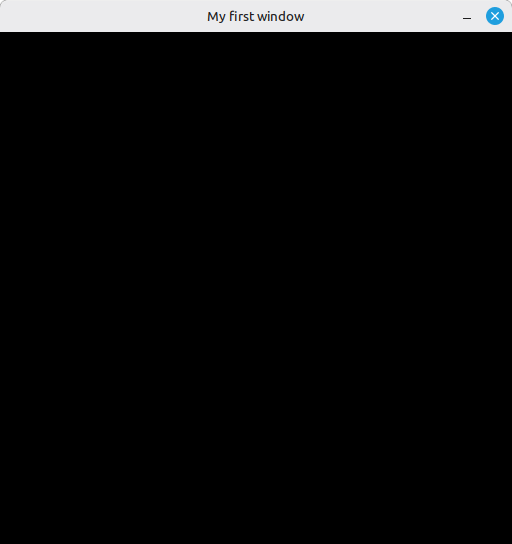
A 512x512 window titled “My first window” should appear and stay until you close it or hit Escape.
Not very sexy, but here it is:
What’s next
With a window owned by the program, we can finally create the VkSurfaceKHR - the platform-agnostic link between the window and Vulkan’s presentation engine. That’s 07 - Surface.